
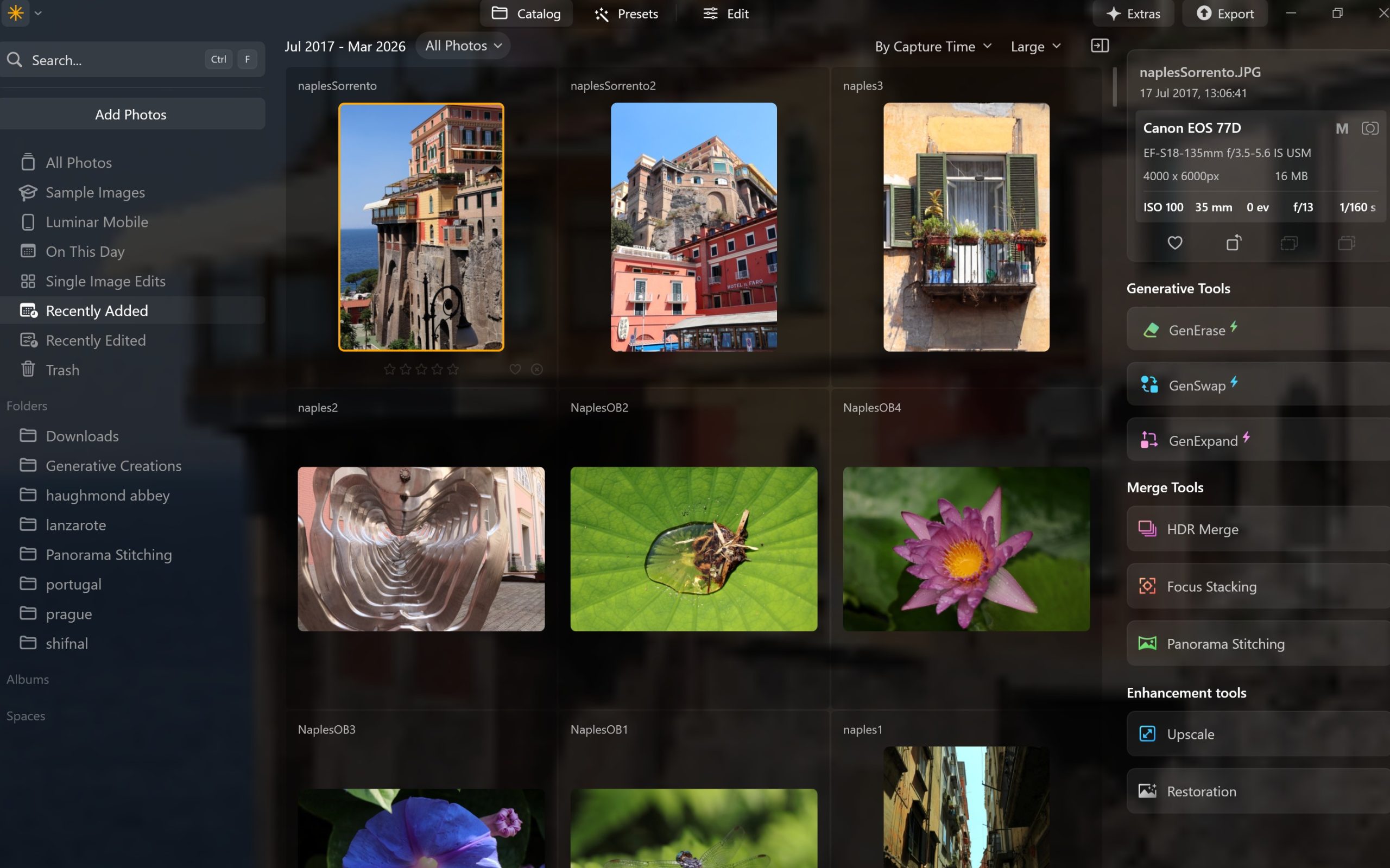
Luminar Neo is unique because it’s designed as an AI‑first photo editor: jobs that normally need layers, masks and multiple plugins (relighting, cleanup, sharpening, sky and background work) are collapsed into a set of dedicated AI tools that sit inside one unified interface. It also adds its own generative tools and a modular engine, so you can stack many complex adjustments without the performance penalty you’d typically see in older editors.
AI‑first editing engine
Neo is built around a new modular engine that distributes processing across “modules,” letting you apply many tools to an image without big slowdowns while keeping everything non‑destructive. That engine underpins a toolkit that assumes AI will do most of the heavy lifting, from sky replacement and relighting to portrait retouching and background removal.
Depth‑aware light and atmosphere
Tools like Relight AI and Light Depth (plus newer tweaks like Twilight Enhancer AI) create and use a depth map of your scene so you can change the brightness and color of foreground and background independently, effectively re‑sculpting light in a 2D photo. Atmosphere‑type tools can drop in fog, mist or haze with content‑aware masking, so atmospheric effects respect subject edges and depth rather than acting like a flat overlay.
Integrated generative AI tools
Neo includes three dedicated generative tools: GenErase for content‑aware object removal, GenSwap for replacing or adding objects from a text prompt, and GenExpand for extending the canvas and auto‑filling new areas. Unlike standalone image generators, these sit alongside the normal editing tools, so you can mix generative edits with RAW development, layers, and masks in one workflow.
One‑slider “smart” adjustments and presets
Accent AI, Structure AI, Sky Enhancer AI and similar tools bundle what would traditionally be multiple sliders (exposure, contrast, local contrast, saturation, etc.) into single intelligent controls that adapt their effect to the content of the image. Presets are also AI‑aware: Neo can suggest preset collections based on the image and adapt them to that file’s tonal range, so you get closer with one click than with generic LUTs.
Built‑in pro fixes and creative effects
Atypical for a mid‑priced editor, Neo bakes in Supersharp AI, Noiseless AI, Upscale AI, HDR Merge, Panorama stitching and Focus Stacking, so things that often require third‑party plugins are simply tools in the main panel. On the creative side it layers in genre‑specific tools (Portrait Bokeh AI, Face/Skin/Body AI, Neon & Glow, Studio Light, Mood LUTs, Dramatic, etc.), all of which are mask‑ and layer‑aware so you can combine them non‑destructively.
Workflow, UI, and licensing differences
Compared with Lightroom/Photoshop, Neo emphasizes a simpler, more guided interface, with tool groups by task (Essentials, Creative, Portrait, Professional) and heavy use of presets and AI suggestions to speed up common workflows. It also offers a one‑time purchase / lifetime license option in addition to subscriptions, which, combined with its AI focus, is a key part of how Skylum positions Neo against Adobe’s subscription‑only ecosystem.